
+86 18116360585
- English
- Chinese
- French
- German
- Portuguese
- Spanish
- Russian
- Japanese
- Korean
- Arabic
- Irish
- Greek
- Turkish
- Italian
- Danish
- Romanian
- Indonesian
- Czech
- Afrikaans
- Swedish
- Polish
- Catalan
- Esperanto
- Hindi
- Lao
- Albanian
- Amharic
- Armenian
- Azerbaijani
- Belarusian
- Bengali
- Bosnian
- Bulgarian
- Cebuano
- Chichewa
- Corsican
- Croatian
- Dutch
- Estonian
- Filipino
- Finnish
- Frisian
- Galician
- Georgian
- Gujarati
- Haitian
- Hausa
- Hawaiian
- Hebrew
- Hmong
- Hungarian
- Icelandic
- Igbo
- Javanese
- Kannada
- Kazakh
- Khmer
- Kurdish
- Kyrgyz
- Latin
- Latvian
- Lithuanian
- Luxembou..
- Macedonian
- Malagasy
- Malay
- Malayalam
- Maltese
- Maori
- Marathi
- Mongolian
- Burmese
- Nepali
- Norwegian
- Pashto
- Persian
- Punjabi
- Serbian
- Sesotho
- Sinhala
- Slovak
- Slovenian
- Somali
- Samoan
- Scots Gaelic
- Shona
- Sindhi
- Sundanese
- Swahili
- Tajik
- Tamil
- Telugu
- Thai
- Ukrainian
- Urdu
- Uzbek
- Vietnamese
- Welsh
- Xhosa
- Yiddish
- Yoruba
- Zulu
- Kinyarwanda
- Tatar
- Oriya
- Turkmen
- Uyghur


A digital torque wrench with data output should be evaluated by the records it can deliver to the receiving system, not simply by whether it displays or stores a torque value. Confirm the transfer method, the information included in each record, the required hardware and software, and the way results remain associated with the correct tightening operation.
For an assembly or quality team, the useful question is not just “Can it connect to a computer?” It is “Can the quoted configuration deliver identifiable, complete records that our process can use?” Define that requirement before comparing tools. A live display, internal memory and an exportable tightening record are different capabilities, and evidence for one does not establish the others.
Does Data Storage Mean the Wrench Can Export Results?
Not necessarily. A storage description establishes that the product offers a memory function; it does not explain how an external device receives those readings.
The published YOUBAR ratchet digital torque wrench specifications list data storage. They do not specify a data-export interface, file format or receiving software. Those requirements therefore need separate confirmation for the proposed configuration.
Preset settings also need careful interpretation. On this product page, P0–P9 refers to ten preset torque targets, not a stated capacity for ten measurement records. Ask about measured-result storage separately from saved settings.
A useful first check is to distinguish three functions: reading a value on the tool, recalling a saved result on the tool, and transferring that result elsewhere. Only the third directly answers an external data-output requirement.
Define the Records You Need to Receive
Individual Results or Tightening Curves?
Specify whether the receiving system needs one result per operation or a sequence of measurements describing the operation over time.
A single peak-torque record can support a different review from a torque-versus-time curve. The latter requires time-related measurement data, not merely the largest number displayed during tightening. Angle data is another separate requirement; neither a digital screen nor torque storage proves that angle is measured or exported.
Start with the decision the record must support. For example, a maintenance record may require a documented result associated with a work order. A process investigation may require a curve that can be examined in detail. Treat these as different specifications rather than asking for “data logging” without defining the output.
Where curves are required, ask about the available variables, sampling information, recording start and stop conditions, and the format supplied for analysis. These are questions to resolve for the selected model, not features to assume.
Which Fields Identify the Operation?
A numerical value becomes useful to a production record only when the process can establish what it belongs to. Define the required information and identify which part of the workflow will supply it.
| Record element | Question to resolve |
| Measured result | Is this the recorded measurement, the peak, the end value or merely the preset target? |
| Torque unit | Is the unit explicit in the export or unambiguously defined by the data specification? |
| Tool identification | How is the result associated with the specific tool used? |
| Workpiece and fastening location | Does the tool, receiving software, barcode process or operator provide this association? |
| Time information | Does the timestamp represent the operation, the transfer or the import? |
| Acceptance status | Which limits and decision rules produced a pass or fail result? |
This is a suggested requirement checklist, not a claim that every wrench generates these fields internally. Some information may be added by the receiving software or another controlled process. The important point is to define that responsibility before purchase.
For offline work, be particularly clear about time. A timestamp added when a file reaches the computer does not, by itself, establish when each tightening operation occurred.
Match the Transfer Method to Your Workflow
Batch Export or Live Transfer?
Choose the transfer pattern around the task.
Batch export may suit a process in which readings are reviewed after a work sequence. Specify how many results must be retained between transfers, how the relevant batch is selected, and what happens to stored records after export. Confirm those behaviors rather than assuming that a successful download clears memory or preserves it.
Live transfer addresses a different requirement: the receiving process needs results during the work sequence. Ask what confirms successful receipt and what the operator should do when communication is unavailable. Do not treat a connected indicator as proof that every completed operation has reached the destination.
Neither approach is inherently the right choice for every application. The selection depends on when records are needed and how the process manages an unavailable connection.
Hardware and Software Must Match the Quoted Configuration
Ask the supplier to identify the complete data-transfer configuration, including any required cable, receiver or communication module, the software and version, supported operating environment, and applicable license conditions.
An optional wireless module shown in a demonstration should not be assumed to be included in a wrench-only quotation. Likewise, establish whether a physical connector supports the required data function; its appearance alone is insufficient.
Separate file export from direct system integration. Receiving a CSV file is not the same requirement as automatically sending correctly mapped results to a manufacturing execution system. For integration, request the supported interface or protocol documentation and clarify who will implement and verify the connection.
When comparing the YOUBAR digital torque wrench range, keep two acceptance checks separate: whether the selected wrench fits the tightening task, and whether its confirmed configuration fits the required data workflow. A suitable torque range cannot compensate for an unverified mandatory export function.
Verify the Exported File, Not Just the Connection
Ask for a demonstration using the quoted configuration and an actual sample file. A screenshot of readings is useful for orientation, but it does not establish that your receiving application can open and interpret the exported records.
Start by defining the expected result. Then generate identifiable demonstration records using an approved test arrangement, transfer them by the proposed method, and open the output in the software that will actually be used.
Compare the received values with the source records, allowing only documented conversions or rounding. Check the units, field names, identifiers, record order and count. Where a target and a measured value both appear, verify that the receiving process maps them to the correct fields.
For a CSV-based workflow, test the file rather than relying on the label “CSV supported.” Confirm the delimiter, character encoding, decimal format and treatment of identifiers. If an identifier contains leading zeros, for example, include one in the demonstration and check that the receiving software preserves it correctly.
For curve data, verify that the required measurements and their time or angle relationship are present. A saved image of a graph may be useful for reporting, but it is not a substitute when the requirement is numerical data for further analysis.
Finally, retain the sample file together with the tool configuration and export instructions. This makes the demonstration reproducible and gives both parties a clear reference for the accepted output.
Check for Missing, Repeated and Interrupted Records
An initial export should be followed by a small, agreed verification exercise. The following is a proposed demonstration method, not a report of testing performed on a YOUBAR product.
Assign five distinct operation identifiers, such as A01 through A05, to five demonstration records. The association may be maintained by the tool, the receiving software or an agreed test log, according to the supported workflow. Generate the records using an approved fixture or test procedure, not by repeatedly retightening a finished assembly simply to create data.
Then check more than the total number received. A file containing A01, A02, A03, A04 and A04 still has five rows, but A05 is missing and A04 is duplicated. A record count alone would not reveal that mismatch.
| Demonstration check | Evidence to review |
| Initial transfer | Every expected operation is represented, with the correct associated result. |
| Repeat export or import | The documented behavior is understood, and the receiving process does not count one operation twice. |
| Connection unavailable | Any local retention, warning or recovery behavior is confirmed rather than assumed. |
| Transfer interrupted | The supplier-approved recovery procedure produces an identifiable set of received and outstanding records. |
| Storage approaching capacity | The documented warning, stopping or overwrite behavior is compatible with the planned work sequence. |
Carry out interruption checks only under an agreed demonstration procedure. Do not disconnect equipment during a protected operation or firmware update merely to test data recovery.
These checks do not imply that every wrench supports automatic deduplication, offline buffering or retransmission. They help determine which behaviors are available and whether the wider process can handle the limitations.
For pass/fail records, also confirm what happens to rejected operations and subsequent rework. Specify whether both must remain identifiable. An unexplained replacement of an earlier result may not meet a process that requires the history of the operation.
Confirm What the YOUBAR Configuration Actually Includes
Use the product description to establish documented functions, then resolve the remaining requirements against the exact configuration under consideration. A statement about internal storage should not be extended into a promise of USB transfer, Bluetooth communication, CSV export or production-system integration.
For a data-output-dependent application, request three types of evidence: the model-specific function description, the complete transfer configuration, and a sample output demonstrated in the intended receiving environment. Where the workflow depends on record capacity, timestamps, workpiece identifiers or recovery after an interruption, include those points in the same review.
This creates a clear purchasing decision. A wrench whose confirmed functions meet a local measurement-and-storage need can be assessed for that task. A project requiring external digital records needs additional evidence of the complete output process. Until that evidence is available, do not approve the model against the export requirement solely because its torque specifications are suitable.
To discuss torque measurement and data requirements with YOUBAR, provide the intended tightening task, the records and fields required, the receiving device and software, and whether transfer must be live or can occur in batches. Include a sample of the desired record layout where possible.
The final acceptance question is practical: can the proposed configuration deliver the right record, associated with the right operation, in a form the receiving process can consistently use? Confirm that with documented functionality and a repeatable demonstration before treating data output as an established product capability.
Feature Product
-
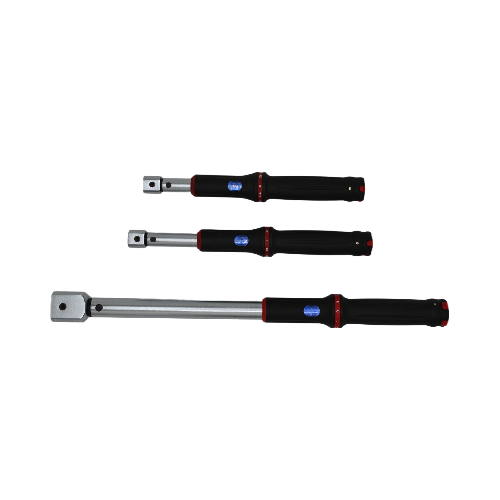 XS Series Interchangeable Head Window Style Cli...
TENGTUO ELECTRONIC TECHNOLOGY Item NO...
-
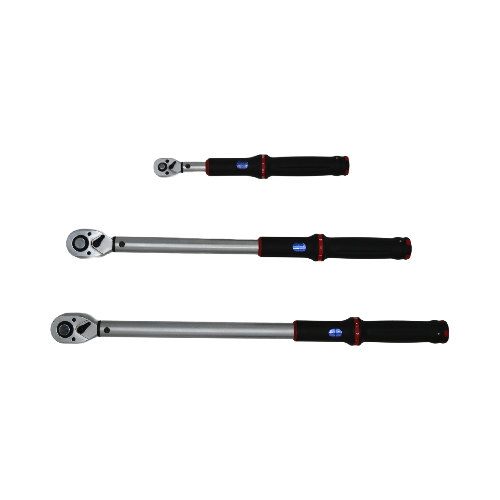 XS Series Window Style Click Torque Wrench
TENGTUO ELECTRONIC TECHNOLOGY Item NO...
-
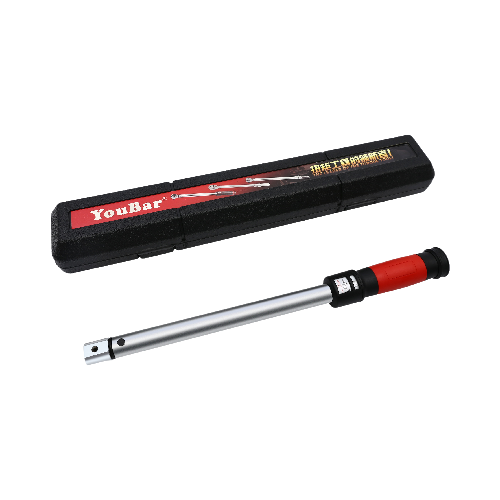 SL Series Interchangeable Head Window Style Cli...
TENGTUO ELECTRONIC TECHNOLOGY item NO...